Before any caption styling starts, the delivery specification ought to establish the required sidecar format. SRT continues as the customary interchange format for streaming services and social platforms. For HTML5 players, WebVTT carries presentation and placement instructions; European broadcast operations instead employ EBU-TT-D in distribution, with EBU-TT XML supporting archive interchange. That selection governs the timing and presentation data retained at delivery, the instructions requiring conversion, and the method used to verify subtitles against the completed audio master.
What Are the Verified Benchmarks for SRT Vs WebVTT Vs EBU TT Delivery?
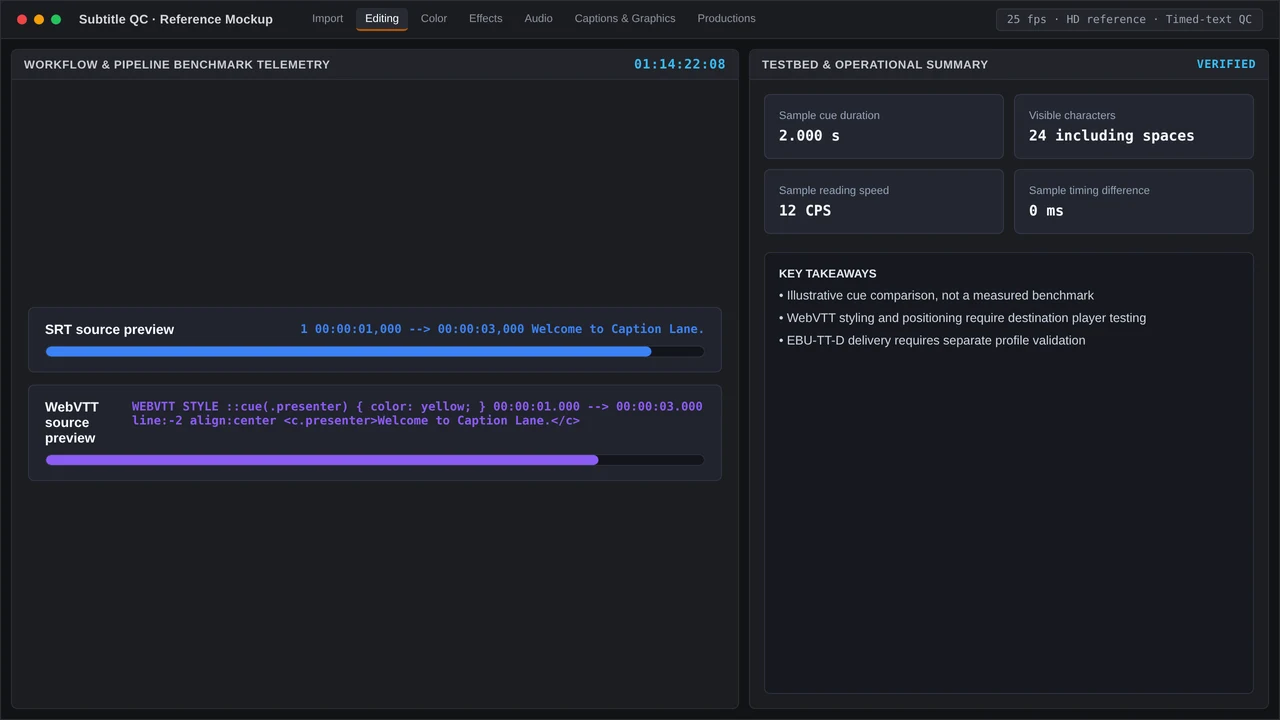
Every conversion between formats must preserve the applicable reading limits. For timed text in adult English, Netflix imposes maxima of 20 CPS and 42 CPL, while BBC guidance advises a rate of 160 to 180 words per minute Netflix Partner Help Center Timed Text Guide, 2025. Those editorial thresholds apply equally to captions transported as SRT, WebVTT, or EBU-TT-D. A different container leaves both the textual burden and the viewing interval unchanged for the audience.
A shared reference master is equally necessary in broadcast QC when assessing subtitle timing and measuring audio. For European delivery, EBU R128 requires an integrated loudness of -23.0 LUFS; US ATSC A/85 instead specifies -24 LKFS EBU R128 Loudness Recommendation, 2024. Synchronisation should be assessed using the loudness-normalised master prepared for delivery. If that master differs from the caption reference, the resulting offset presents as faulty spotting, although each file may independently satisfy its technical inspection.
On mobile feeds, silent playback makes the presentation of captions especially consequential. As many as 75% of viewers in mobile social feeds watch with the device audio muted, so styled or burned-in captions become necessary for comprehension Verizon Media & Publicis Mobile Viewing Study, 2024. Material derived from multicam podcasts likewise warrants a considered workflow for video captions. Of weekly US podcast consumers, 46% favour viewing with active video Edison Research Infinite Dial & Podcast Consumer Report, 2025; YouTube, meanwhile, reports more than 1 billion monthly viewers for podcast content YouTube Official Blog, 2025. If cue positioning survives in the destination player, WebVTT permits placement control unavailable in a flat SRT file.
| Criterion | SRT | WebVTT | EBU-TT-D / EBU-TT XML |
|---|---|---|---|
| Timing resolution | Milliseconds | Milliseconds, cue settings | 1 ms with frame-accurate extensions |
| Styling | None | CSS classes, line positioning | Full XML styling, regions |
| Primary destination | Social, interchange | HTML5 web players | European broadcast, archives |
| Loudness pairing rule | -24 LKFS for US feeds | Player-dependent | -23 LUFS under EBU R128 |
Step-by-Step Premiere Pro and DaVinci Resolve Setup
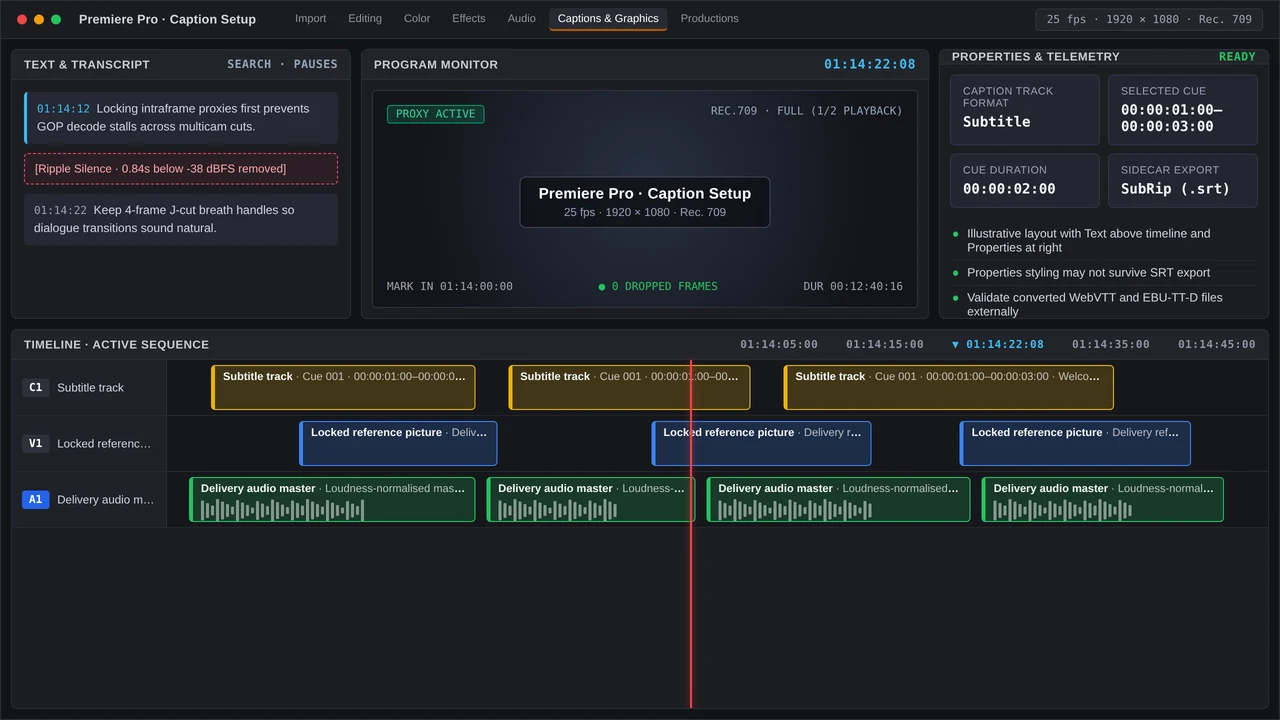
In Premiere Pro v25 or v26, start by creating a speech-to-text transcript within the Text panel, then convert that transcript to a caption track. The contextual Properties panel is the appropriate location for caption styling. During export, choose SRT or the relevant sidecar XML template in the dialog, and verify that the offered format matches the delivery specification. Burned-in word-by-word treatments can use MOGRT presets from the Graphics Templates panel, whose timing requires inspection apart from that of the sidecar captions.
Delivery to EBU-TT-D from an SRT or WebVTT workflow usually calls for a separate TT conversion pass and subsequent conformance testing. Final spotting should follow the completion of all dialogue editing. For densely edited talking-head sequences, a 4-to-8-frame J-cut may ease dialogue entrances and lessen cue collisions near picture cuts Premiere Pro Dialogue Editing Best Practices, 2025. If the speech entrance moves afterwards, subtitle timing must be checked again.
A perpetual licence for DaVinci Resolve Studio v19 or v20 is priced at $295 and includes Neural Engine transcription on the Edit page. On the Deliver page, subtitle controls can export SRT and WebVTT, while the render may use either an embedded subtitle track or a selected sidecar file. For EBU-TT delivery, an external tool must convert a SMPTE-TT or SRT intermediate, after which the resulting file requires validation.
Throughout revision, frame references should remain attached to review comments. A studio may combine Resolve or Premiere, available in a single-app plan at $23 per month, with Frame.io, priced at $15 monthly for each user. The resulting frame-accurate timecode comments transfer into timeline markers and locate each caption revision precisely within the sequence.
Common Timeline Bottlenecks and QC Checks
Before undertaking a detailed reading-speed pass, inspect every frame-rate change. Because SRT timestamps record elapsed time, the 25 fps broadcast master and 24 fps web version require verification for identical programme duration and corresponding speech positions. Progressive cue displacement results whenever conversion alters playback duration. At the opening and closing of the programme, confirm how the caption source relates to the exported picture.
Overlapping cues, or exposures shorter than the allowed minimum, may remain after retimes and speed ramps. Affected passages need fresh spotting against the revised speech and altered shot boundaries. Line length comes under additional pressure in translation, especially when extended German compounds occupy much of a 42-character line. Divisions across two lines should be reconstructed around syntactic units that read naturally, without cutting text merely to obtain a line-length pass.
Final QC should include a reading-speed measurement against the relevant 20 CPS ceiling, together with confirmation of -23 LUFS integrated loudness for EBU deliverables. The converted subtitle file must also be compared with the actual delivery encode. Prior to upload, load the WebVTT into a reference player, examine its cue settings and line positions, and assess whether timing matches the picture after encoding.